
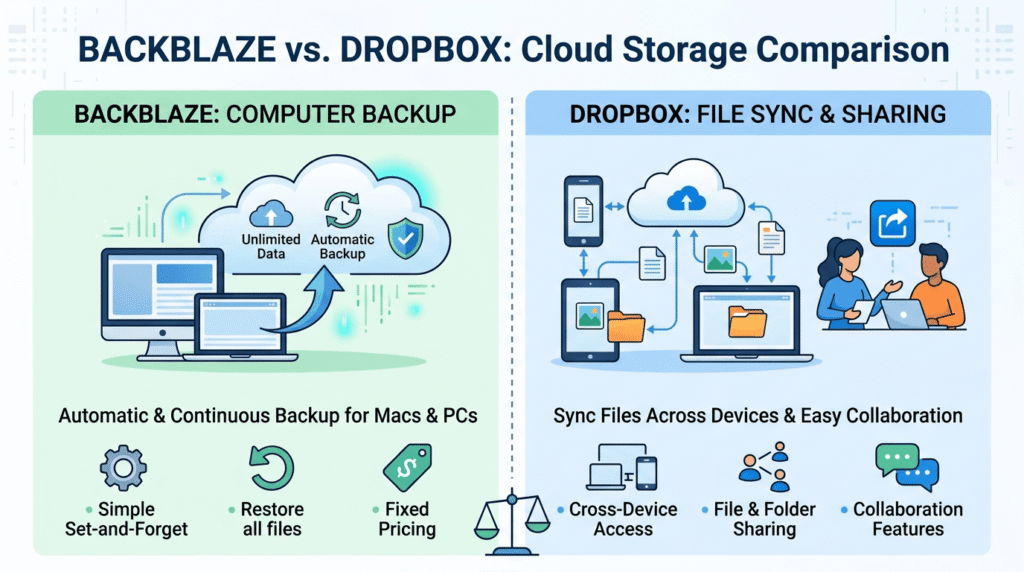
If you’re comparing Backblaze vs Dropbox Business for small business use, you’re likely trying to solve two different problems at once: reliable backup and everyday file access. These two tools actually serve different primary purposes, Backblaze is built specifically for backup, while Dropbox Business is built for file sync and collaboration with backup-like features layered on top. Understanding that distinction is the key to picking the right one, or realizing you might actually want both.
Quick Verdict
| Tool | Starting Price | Storage | Encryption | Version History | Best For |
|---|---|---|---|---|---|
| Backblaze Business Backup | $99/year per computer | Unlimited | 128-bit AES + RSA-2048 | 30 days (extendable) | Simple, unlimited backup |
| Dropbox Business | $15-$24/user/month (3-user minimum) | Pooled/team storage | 256-bit AES | 180 days | Team collaboration + sync |
Short answer: if your priority is inexpensive, “set it and forget it” backup of everything on your computers, Backblaze wins on price and simplicity. If your team needs to actively share, edit, and collaborate on files day-to-day, with backup as a secondary benefit, Dropbox Business is the better fit. Many small businesses end up using both: Dropbox for active collaboration, Backblaze for true backup of the underlying machines. If ransomware protection is your main concern, see our full guide on ransomware-proof cloud backup for small business.
Pricing Comparison for Small Teams
Comparing Backblaze vs Dropbox Business for small business budgets ultimately comes down to whether you’re paying per computer or per user.
Backblaze Business Backup starts at $99/year per computer (billed yearly), and includes unlimited data backup, multi-user management, and admin controls. There’s no per-user minimum, you pay per computer, which makes it very predictable for a small team with a handful of machines. Version history is 30 days by default, extendable to one year for free, or to “Forever” retention for an additional $0.006/GB per month.
Dropbox Business is priced per user rather than per computer: $15/user/month for the Standard plan, or $24/user/month for Advanced, with a 3-user minimum. That minimum matters for solo freelancers or two-person teams, you’ll pay for three licenses regardless of headcount. Both tiers include 180 days of version history, with Advanced adding more granular admin, audit, and security controls.
For a 5-person team, that works out to roughly $75-$120/month for Dropbox Business, versus around $41/month for Backblaze covering 5 computers (before any version-history upgrades). Backblaze is meaningfully cheaper if backup is your only goal; Dropbox’s higher price reflects that you’re also paying for real-time sync and collaboration tools Backblaze doesn’t offer.
Security & Encryption Features Side-by-Side
This is where the two tools genuinely differ in approach, not just marketing language.
Backblaze encrypts files locally before they leave your computer, using a 128-bit AES symmetric key combined with a 2048-bit RSA key pair for added protection, the company refers to this as “military-grade” encryption, though it’s worth noting some competitors now offer 256-bit AES as a stronger baseline.
By default, Backblaze holds the decryption key on your behalf so you can recover your password normally. For businesses wanting more control, Backblaze offers an optional private-key/passphrase feature, but it’s important to understand the nuance: your files are still decrypted on Backblaze’s servers during a restore, using the passphrase you supply at that time. This isn’t full zero-knowledge encryption, but it does mean Backblaze never stores your passphrase, and losing it means permanent, unrecoverable data loss.
Dropbox Business uses 256-bit AES encryption for files at rest and SSL/TLS for data in transit, a stronger encryption standard than Backblaze’s default. It also holds security certifications including ISO 27001 and SOC 2/3, and both plans support two-factor authentication, single sign-on (SSO), and granular admin permission controls. Dropbox’s admin console gives IT staff visibility into device access, session tracking, and the ability to remotely wipe company data from lost or stolen devices, capabilities aimed squarely at business/IT use cases rather than pure backup.
For ransomware resilience specifically: neither tool is immutable by default the way AWS Backup’s vault lock is. Dropbox’s 180-day version history gives you a longer rollback window than Backblaze’s default 30 days, which matters if a ransomware infection isn’t discovered right away. If ransomware protection is your primary concern, extending Backblaze’s version history to “Forever” (or pairing either tool with a more security-hardened solution) closes this gap.
Storage Limits and Scalability
Storage structure is another meaningful difference between the two. Backblaze Business Backup includes genuinely unlimited storage per computer at a flat rate, whether you’re backing up 50GB or 5TB, the price per computer stays the same. This makes Backblaze highly predictable for businesses with large media files, design assets, or growing data volumes, since you never have to plan around a storage cap.
Dropbox Business, by contrast, allocates storage as a shared team pool rather than unlimited-per-user. The Standard plan includes a set amount of space shared across the team, while Advanced offers “as much space as needed” in Dropbox’s own marketing language, though in practice usage is monitored and extreme outliers may be asked to upgrade. For teams with modest document/collaboration needs, this pooled model works fine; for businesses backing up large raw files (video, CAD, high-resolution images), the unlimited-per-computer model of Backblaze is usually more cost-predictable.
Customer Support Compared
Backblaze offers email and chat support to all customers, with business/higher tiers generally getting faster response priority. Its support model reflects its philosophy: the product is designed to need minimal hand-holding, so support is there for edge cases rather than daily troubleshooting.
Dropbox Business includes more structured support tiers, Standard plans get standard support, while Advanced and Enterprise customers get phone support and faster guaranteed response times. Given Dropbox Business is a more actively-used, feature-rich tool that teams interact with daily, this heavier support investment makes sense, more moving parts means more potential points of confusion for end users.
Ease of Use and Setup
Backblaze is close to “install and ignore”, you set it up once per computer, choose what to include/exclude, and it silently backs up in the background. There’s very little day-to-day interaction required, which is exactly the point: it’s designed for people who don’t want to think about backup at all.
Dropbox Business requires more active engagement, since it’s a working file-sync tool rather than a silent background service. Team members interact with it constantly, dragging files into shared folders, collaborating in real time, managing sharing permissions. The admin console has a steeper initial learning curve for setting up teams, permissions, and security policies, but it rewards that setup with much richer day-to-day functionality.
Backblaze vs Dropbox Business for Small Business: Which Should You Choose?
Solo freelancer or 1-2 person business: Backblaze is the more cost-effective choice, especially since Dropbox Business’s 3-user minimum means you’d be overpaying for licenses you don’t need.
Small team (3-10 people) that collaborates heavily on documents: Dropbox Business is worth the premium, the file-sharing, real-time editing, and admin visibility solve problems Backblaze isn’t designed to address.
IT-conscious small business prioritizing ransomware resilience above all else: Neither is a perfect standalone answer, but Backblaze’s lower cost per machine makes it easier to justify extending version history to “Forever,” while Dropbox’s stronger baseline encryption and admin controls suit businesses already standardized on Microsoft/Google-style collaboration workflows.
Businesses that need both: This is more common than you’d think, using Dropbox Business for active team collaboration and Backblaze as a separate, low-cost backup layer for the actual computers gives you the best of both without much added cost, since Backblaze runs quietly in the background regardless of what other tools you use.
Businesses with large media or design files: Backblaze’s unlimited-per-computer storage model is far more cost-predictable than Dropbox’s pooled storage tiers once you’re dealing with large video, CAD, or high-resolution image libraries.
Frequently Asked Questions
Is Backblaze or Dropbox Business more secure?
It depends on what “secure” means to you. Dropbox Business uses a stronger default encryption standard (256-bit AES vs. Backblaze’s 128-bit AES/RSA-2048 combination) and offers more mature admin/audit tooling. Backblaze offers an optional private-key feature for users who want more control over decryption, though it isn’t full zero-knowledge encryption.
Can I use both Backblaze and Dropbox Business together?
Yes, and many small businesses do, Dropbox for active file collaboration, Backblaze as a low-cost backup layer for the computers themselves. They solve different problems and don’t conflict with each other.
Which one is better for ransomware protection?
Dropbox Business’s 180-day default version history gives more built-in protection against a ransomware infection that isn’t caught immediately, compared to Backblaze’s 30-day default. However, Backblaze lets you extend to unlimited “Forever” version history for a small additional fee, which can match or exceed Dropbox’s protection window.
Does Dropbox Business back up my entire computer like Backblaze does?
No, Dropbox Business syncs files placed in your Dropbox folder (or team folders), not your entire computer. Backblaze is designed to back up your whole machine by default, including files outside any specific folder, which makes it a true backup tool rather than a sync tool.
Is the 3-user minimum on Dropbox Business negotiable?
No, Dropbox enforces a 3-user minimum on Business plans regardless of your actual team size, a common reason solo freelancers choose Backblaze or a personal Dropbox plan instead.
Which one offers better customer support?
Dropbox Business provides more structured, tiered support (including phone support on Advanced/Enterprise plans), reflecting its role as a daily-use collaboration tool. Backblaze’s lighter support model matches its philosophy of needing minimal ongoing interaction once set up.
Can I switch from Dropbox Business to Backblaze (or vice versa) without losing data?
Yes, but plan the transition carefully, export or verify your data is fully synced/backed up on the old service before canceling, and run both in parallel for at least one backup cycle to confirm the new service is capturing everything correctly.
Final Thoughts
Weighing Backblaze vs Dropbox Business for small business needs isn’t really about picking a winner, it’s about matching the tool to how your team actually works. If you’re choosing based purely on cost and simplicity for backing up computers, Backblaze wins clearly. If your business runs on shared documents and real-time collaboration, Dropbox Business’s higher price buys genuinely useful functionality Backblaze doesn’t attempt to offer. For many small businesses, the right answer isn’t “either/or”, it’s using each tool for what it does best.